
User Guide
DNS Content Filtering (Inseego Connect)
DNS content filtering uses DNS (Domain Name System) to block harmful malware inappropriate content.
You can configure DNS content filtering with Inseego Connect. All T-Mobile owned Inseego FX devices come with the option of purchasing the Inseego Connect Add-on. Please work with your Account team to order the Inseego Connect Add-on, which provides Manager access.
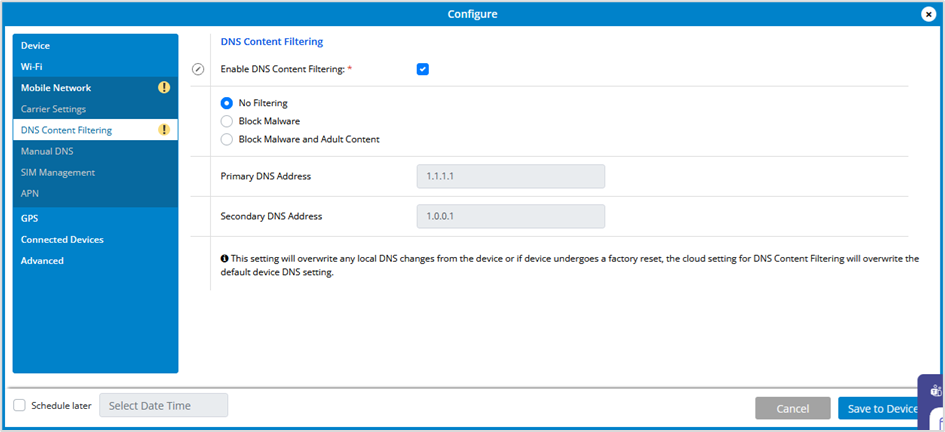
Enable DNS Content Filtering: Check this box to enable DNS content filtering.
Select the filter level (No Filtering, Block Malware, or Block Malware and Adult Content).
If you want changes to go into effect at a later time, check the Schedule later box and select a date and time from the calendar. Once all your changes are made, select Save to Device.



