
User Guide
Ethernet tab
Use this tab to configure Ethernet ports. Although Ethernet ports are labeled as WAN/LAN or LAN on the device, you can set either of them to be a WAN or LAN connection.
NOTE: Only one port can be set to WAN at a time.
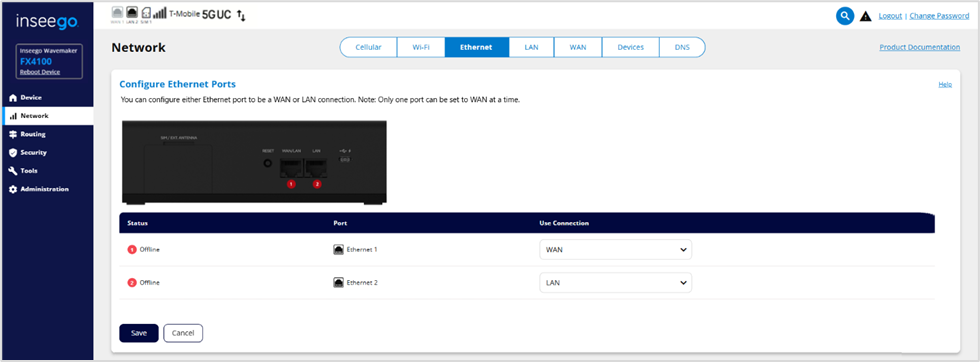
Status: The status of the interface (Connected, Online, Offline).
Port: Ethernet 1 is the port on the left labeled WAN/LAN on the router; Ethernet 2 is the port on the right labeled LAN.
Use Connection: Use the dropdown to select WAN or LAN for the type of Ethernet connection you want on each port.
NOTE: When IP Passthrough is turned on, you cannot configure Ethernet ports as WAN.
Click Save.