
User Guide
Notification Settings
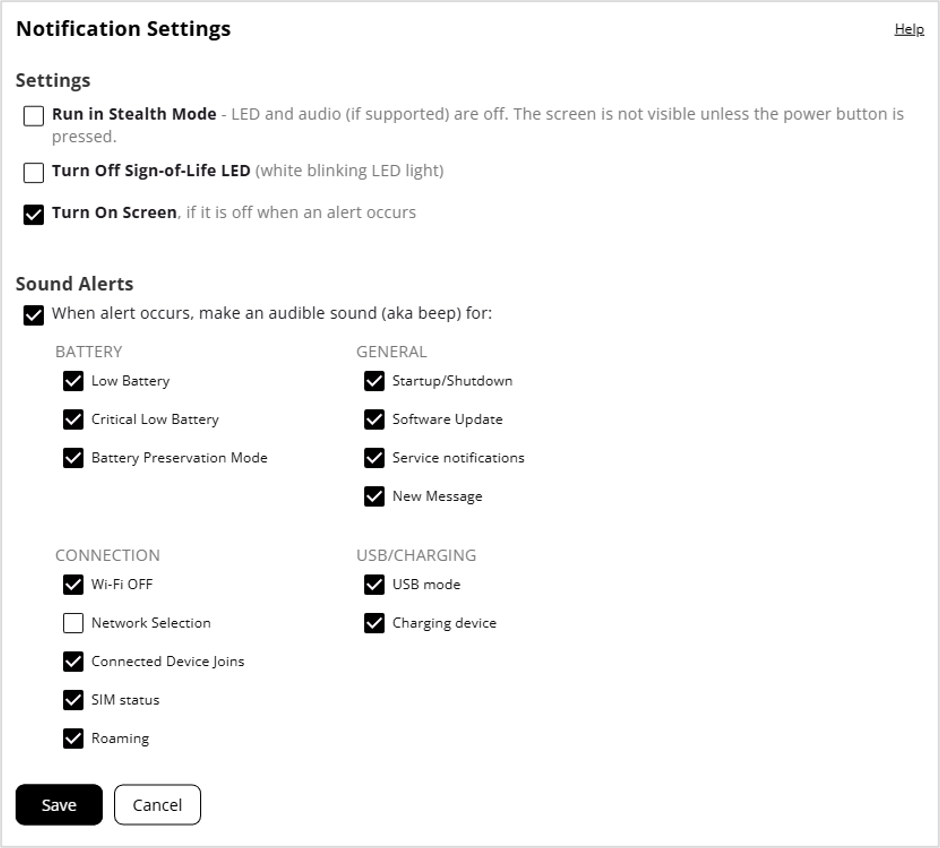
Use this section to set options for notifications on your MiFi.
Settings
Run in Stealth Mode: When checked, other than the startup process, the MiFi LED, touchscreen, and audio (when supported) turn on only when the power button is pushed.
Turn Off Sign-of-Life LED: Check this box to turn off the LED status light. When unchecked, the LED blinks slowly as a “sign of life.” This option is grayed out if Stealth mode is on.
Turn On Screen: Check this box to turn on your MiFi touchscreen when there is an alert message. This option is grayed out if Stealth mode is on.
Sound Alerts
When alert occurs, make an audible sound (aka beep) for: When checked, your MiFi makes sounds for the events selected below.
NOTE: This option is grayed out when Run in Stealth Mode is selected.
BATTERY
Check the boxes for the battery events that trigger an audio alert (beep) on your MiFi.
- Low battery
- Critical low battery
- Battery preservation mode
GENERAL
Check the boxes for the general events that trigger an audio alert (beep) on your MiFi.
- Startup/Shutdown
- Software update
- Service notifications
- New message
CONNECTION
Check the boxes for the connection events that trigger an audio alert (beep) on your MiFi.
- Wi-Fi off
- Network selection
- Connected device joins
- SIM status
- Roaming
USB/CHARGING
Check the boxes for the USB or charging events that trigger an audio alert (beep) on your MiFi.
- USB mode
- Charging device
Click Save.