
User Guide
General Settings & Preferences
Use this section to change the MiFi name visible to connecting devices, change the language, and enable periodic reboot. You can also change how dates, time, numbers, and units of measure are displayed in the web UI.
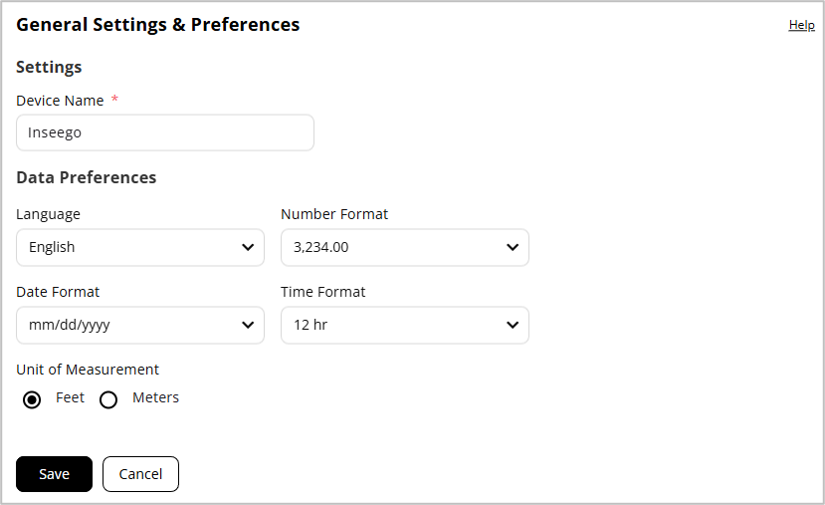
Settings
Device Name: The name of the MIFI that appears on devices connecting with Wi-Fi. If desired, enter a different name.
Data Preferences
Language: Select a language for the admin web UI and touchscreen.
NOTE: The following settings affect packets sent to remote servers. For example, if you select a 24-hour time format, the admin web UI, touchscreen, and any packets reporting time somewhere else, will display time in 24-hour format.
Number Format: Choose the format for decimal numbers displayed in the web UI and touchscreen (using a period or comma as the decimal point).
Date Format: Select the date format to be used throughout the web UI and touchscreen (mm/dd/yyyy or dd/mm/yyyy).
Time Format: Select the time format to be used throughout the web UI and touchscreen (12 or 24 hr).
Units of Measurement: Select the format for distance displayed in the web UI and touchscreen (feet or meters).
Click Save.