
User guide
Updating firmware
You can update firmware on a single device or multiple devices.
1. Check the box next to the device(s) and click the Update Firmware button to check the selected device(s) for a pending firmware update. The Update Firmware dialog appears:
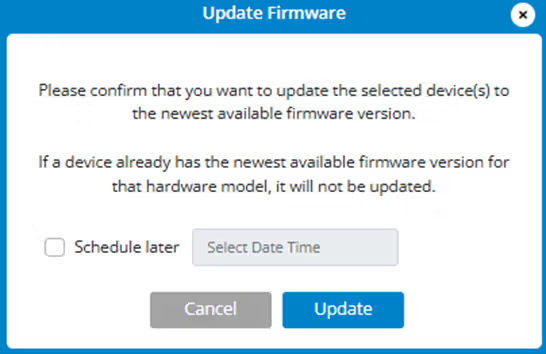
2. Click Update or use Schedule later to schedule the update for a later time and then click Update. If there is a new firmware version, it is downloaded and applied.
Notes on firmware updates
Firmware updates are delivered to your device automatically over the mobile network. You can also initiate updates through the Inseego Connect or the device admin web UI.
Automatic updates (device initiated)
- The device looks for updates once every 24 hours.
- If an update is available, it is downloaded to the device.
- The update is installed on the device within 48 hours of being downloaded, between 2 - 4 AM local time, or immediately upon reboot.
- Some devices have the option to opt out of automatic software updates from the Inseego Connect configuration menu.
User-initiated updates from Inseego Connect
- Update a single device, multiple devices or groups of devices using the Update Firmware button.
- If an update is available, choose whether to install it immediately or use Schedule Later to select a time.
- Track updates on the Operations page.



