
User guide
APIs overview
Use the APIs page to create and manage API permissions for users.
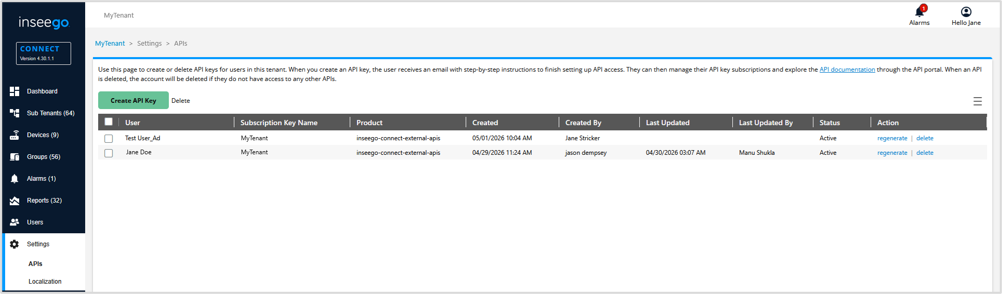
The list provides details on API users for the tenant:
User: The name of the user.
Subscription Key Name: The name of the API subscription key. This is the tenant name.
Product: The API product the user has access to.
Created: The date and time the API keys for the user were created.
Created By: The user that created the API keys.
Last Updated: The date and time the API keys were last updated.
Status: Indicates whether the user’s API keys are active.
Action:
- regenerate —Generates new API keys.
NOTE: This makes the previous keys unusable. The user will need to use the new keys to access APIs.
- delete — Deletes the API keys.
NOTE: Deleting keys removes the user’s access to the API portal immediately. To restore access, new keys must be created and the user must go through the API account creation process again.
TIP
 Use the menu icon in the upper right to refresh or export the table.