
User guide
Editing a device group
Use the Edit button to change the name of the selected device group. You can also add and/or remove devices from the group.
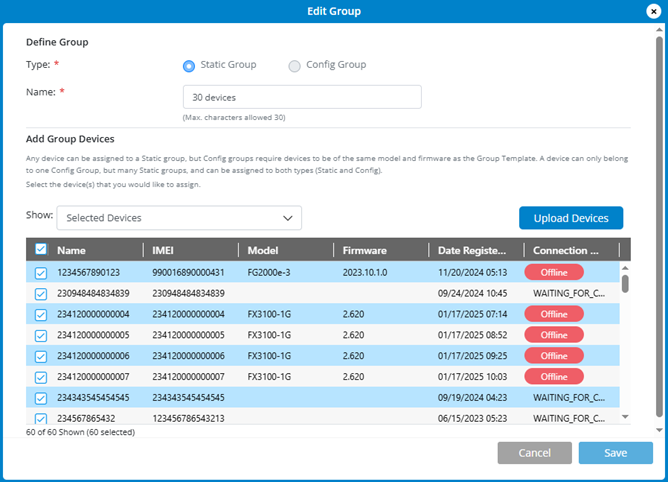
To upload one or more devices to the group:
1. Click the Upload Devices button.
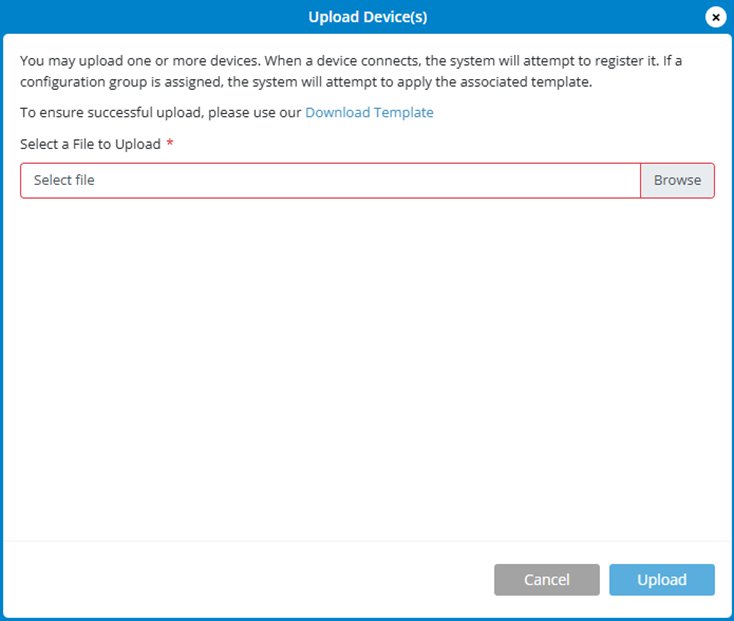
2. Click Download Template to download an Excel file.
3. Enter the IMEIs of the devices you are uploading in the Excel file.
4. Click Browse to find the file.
5. Click Upload. When the device(s) connect, they are registered and if they are added to a config group, the template is applied.