
User guide
Creating a template
To create a new template:
1. Click the Create button. The Create Template dialog appears:
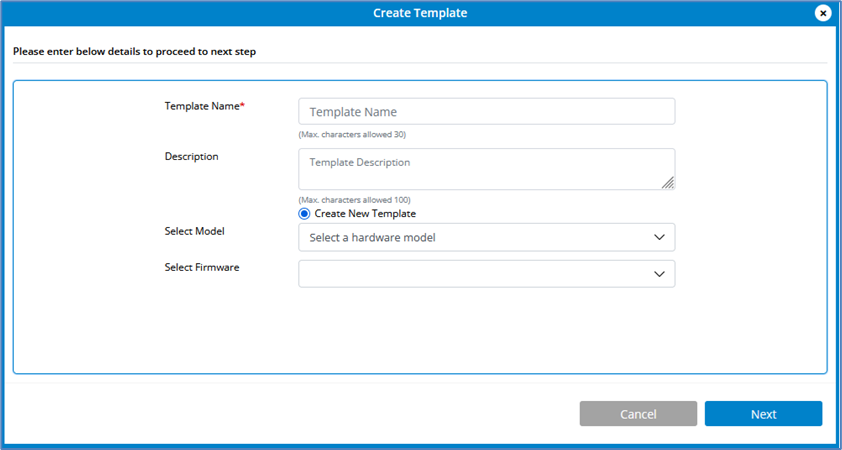
2. Enter a name for the template.
3. Enter a description for the template.
4. Select a hardware model.
5. Select a firmware version.
6. Click Next. The configuration menu for the model or device appears.
NOTE: Available configuration options vary by model/device.
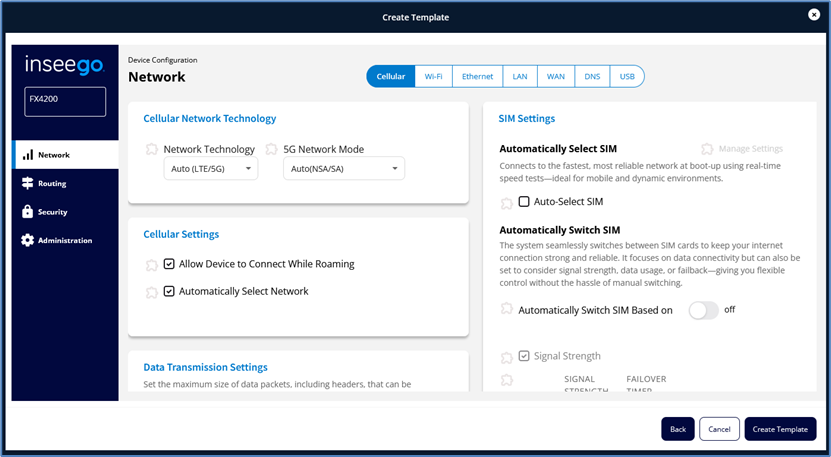
7. Navigate through the side menu to enter or edit settings as desired. When you make a change, a change icon appears next to the changed item. A warning appears if you need to fix something.
NOTE: Only the fields you select will be included in the template.
8. Make all your changes and select Create Template. The template appears in the list.
NOTE: To edit settings in a template, click on the template name in the Template list.