
User Guide
SIM Settings (Inseego Connect)
The Inseego Connect SIM Settings section allows you to set conditions for automatic SIM selection or automatic SIM switching.
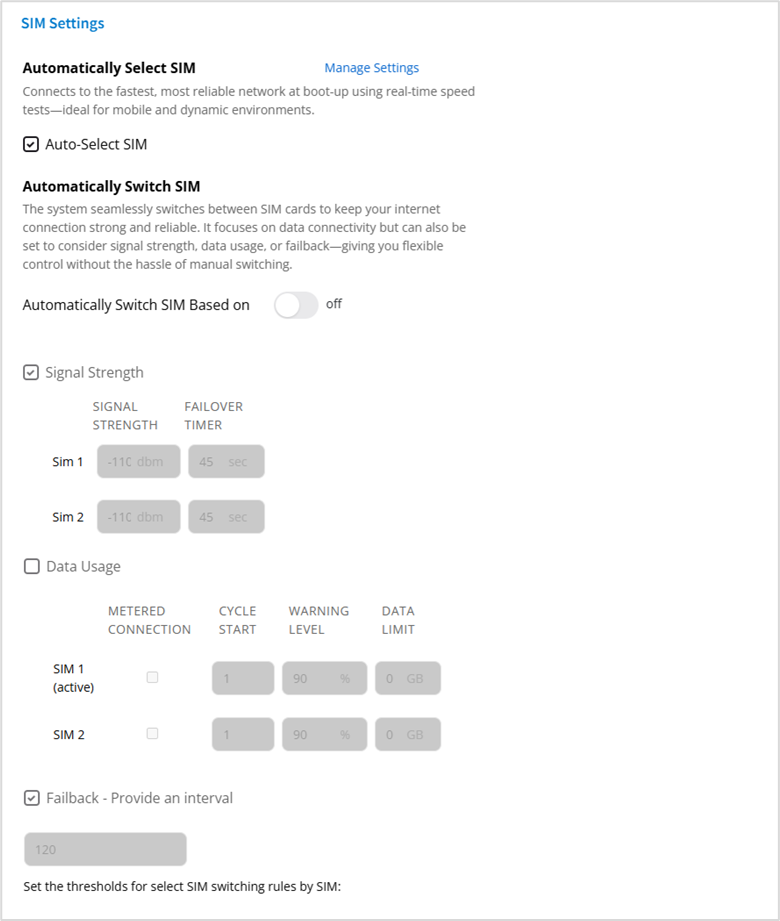
NOTE: You can enable either automatic SIM selection or automatic SIM switching. You cannot enable both at the same time.
Automatically Select SIM
Auto-Select SIM: When on, speed tests, and the criteria set with Manage Settings, determine the best SIM to use when powering on the device.
NOTE: When on, you cannot enable automatic SIM switching.
Click Manage Settings to set SIM selection criteria.
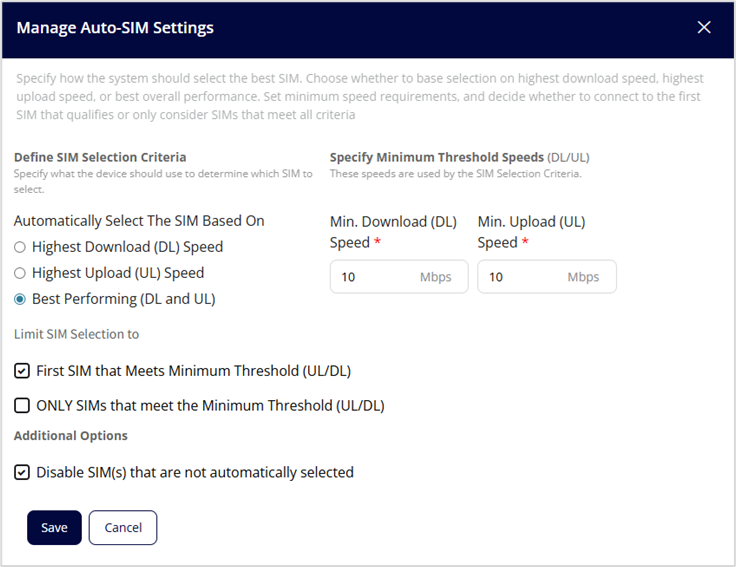
Define SIM Selection Criteria
Select the option on which to base automatic SIM selection - highest download speed, highest upload speed, or best performing (download and upload speeds).
Specify Minimum Threshold Speeds (DL/UL)
Set a minimum download speed and minimum upload speed at which a SIM can be automatically selected. Values must be between 1 and 2500 Mbps.
Limit SIM Selection to
First SIM that Meets Minimum Threshold (UL/DL): When selected, the first SIM that meets the minimum threshold speeds is selected.
ONLY SIMS that meet the Minimum Threshold (UL/DL): When selected, automatic SIM selection is limited to SIMs that meet the minimum threshold speeds.
Additional Options
Disable SIM(s) that are not automatically selected: When selected, the SIM not selected is disabled.
Click Save.
You can view details about the automatic SIM selection on the Device View dashboard.
- Click Details in the WAN Area Network (WAN) line.
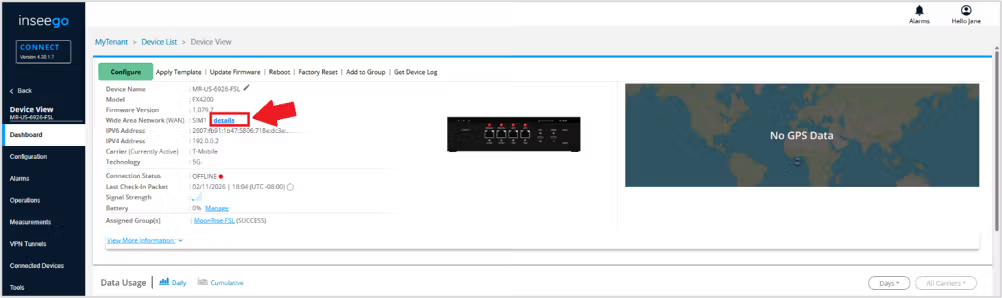
You can see which SIM is selected, the Sim selection criteria, and speed test results.

Automatically Switch SIM
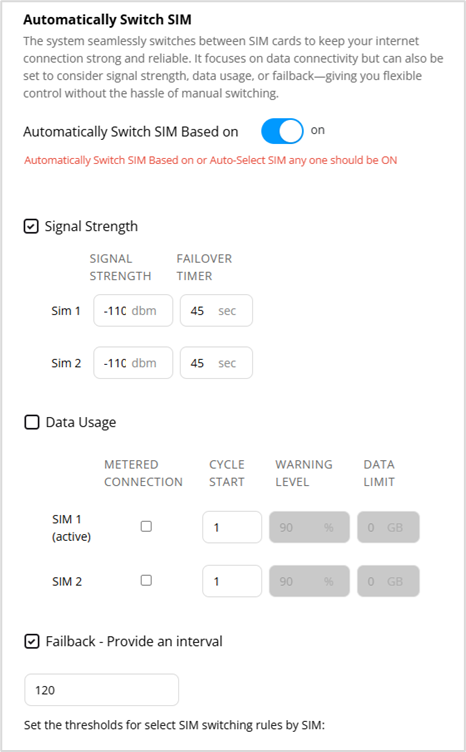
Automatically Switch SIM Based on: When on, the system automatically switches SIM cards based on connectivity and the criteria set below.
NOTE: When Automatically Select SIM is on, you cannot enable automatic SIM switching.
Signal Strength: Check this box to enable SIM switching based on signal strength. Then select a threshold for signal strength dBm and the number of seconds each SIM must fall below this threshold for the system to switch from the SIM.
Data Usage: Check this checkbox to enable SIM switching based on data usage.
- METERED CONNECTION - Check this checkbox for SIMs that have a metered connection. This box must be checked to set data usage fields for the SIM.
- CYCLE START – Set the day of the month when the data counter resets.
- WARNING LEVEL – Select the percentage of the data limit at which you want an alarm.
- DATA LIMIT – Enter the data limit for the SIM. This is the threshold at which the SIM will automatically switch.
Failback: Check this checkbox to set the failback interval for SIM switching. Enter thenumber of seconds between failback verification attempts to check signal strength and/or data usage and switch back to the primary SIM when verified.
Click Save.