
User Guide
Installing a SIM card
Your SIM card is a small rectangular plastic card that stores your phone number and important information about your wireless service. The MiFi PRO M4 supports only Nano SIM cards. To prevent damage to the SIM slot, please select the correct SIM for this device.
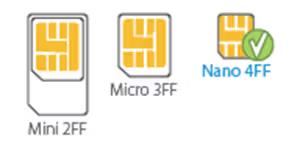
CAUTION: Always use a factory-made SIM card supplied by the service provider. Do not bend or scratch your SIM card. Avoid exposing your SIM card to static electricity, water, or dirt.
NOTE: The device manufacturer may have pre-installed a SIM card.
To install a SIM card:
1. Lift the tab at the edge of the battery cover and remove the cover.
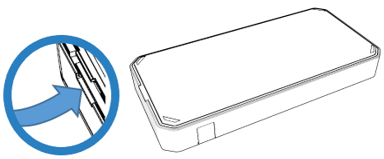
2. Remove the battery from the battery well.
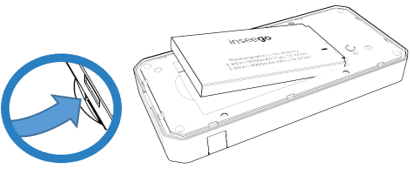
3. Lift the SIM access tab from underneath the white arrow and move it to the right.
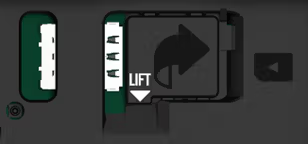
4. If necessary, remove the SIM card from the outer card, being careful not to touch the gold-colored contacts.
5. Slide the SIM card into the slot notch first, with the contact points facing down.
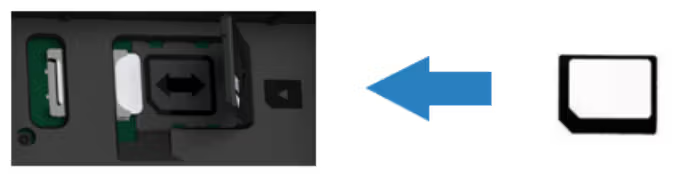
6. Close the SIM access tab, place the battery in the battery compartment and replace the cover. The SIM card MUST remain in the SIM card slot when in use.



