
User Guide
Home screen
The Home screen lets you see what your MiFi is doing at a glance.
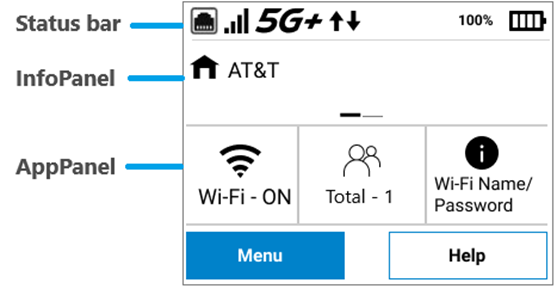
Status bar: The top of the screen displays status indicators, which may include: Ethernet port enabled  , network signal strength
  , network type (for example, 5G+), data traffic activity
  , unread system messages
  , and battery status
  .
.
InfoPanel: This panel presents a carousel display of current information on your MiFi. Initially it displays the network name, but may also display other information, such as when Airplane mode is on, or if there is a SIM card error. Swipe left/right through the displays.
AppPanel: The AppPanel displays whether Wi-Fi is on or off (tap  to access the Wi-Fi menu) and how many devices are connected to your MiFi Wi-Fi primary and guest network (tap
  to access the Connected Devices menu). Tap
  to view the name and password for your primary and guest networks.
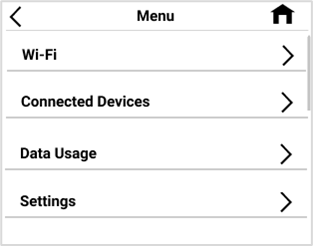
Menu provides access to all menu options.
Help provides access to info screens and tutorial.
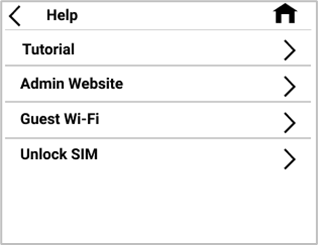
Swipe up/down to scroll through options.



