
User Guide
DNS Content Filtering (Inseego Connect)
DNS content filtering uses DNS (Domain Name System) to block harmful malware inappropriate content.
You can configure DNS content filtering with Inseego Connect. To learn more about the benefits of Inseego Connect, go to http://inseego.com/products/cloud-management/inseego-connect/. You can sign up for an Inseego Connect account at connect.inseego.com.
NOTE: Settings on this page override any settings in the admin web UI and default device settings (when device is reset to factory defaults).
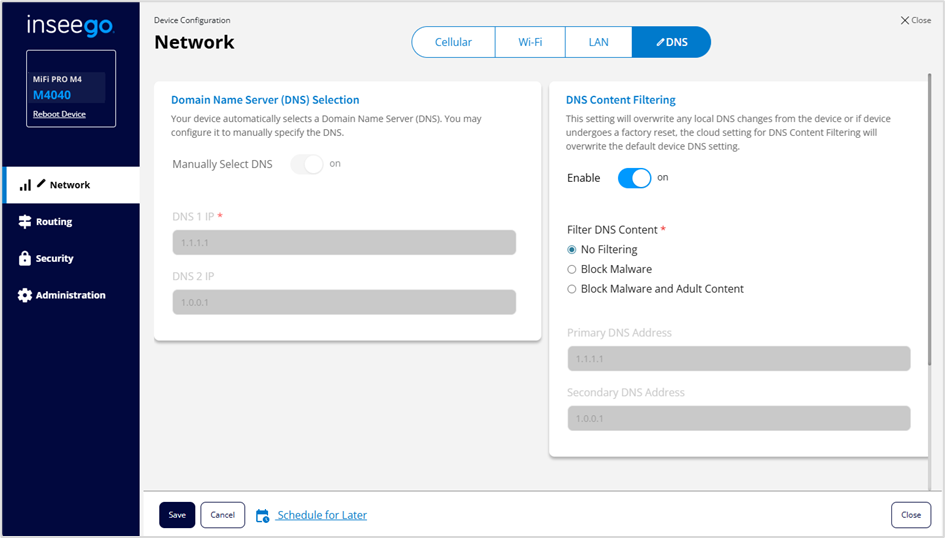
DNS Content Filtering
Enable: Check this box to enable DNS content filtering.
Filter DNS Content: Select the filter level (No Filtering, Block Malware, or Block Malware and Adult Content).
If you want changes to go into effect at a later time, check the Schedule later box and select a date and time from the calendar. Once all your changes are made, select Save.



