
User Guide
Finding your Wi-Fi name and password
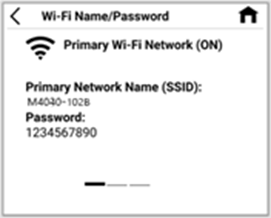
Tap Wi-Fi Name/Password on the Home screen. The name and password for your MiFi primary network is displayed.
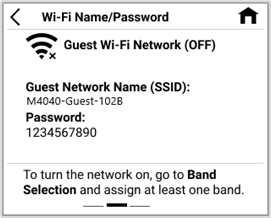
Swipe left to see the credentials for the guest network.
Important: You can change the primary and guest Wi-Fi passwords by signing in to the MiFi admin web UI and navigating to the Network > Wi-Fi page. Tap Help > Admin Website on the Home touchscreen of your MiFi for your admin password.



