
User Guide
Description
Display view
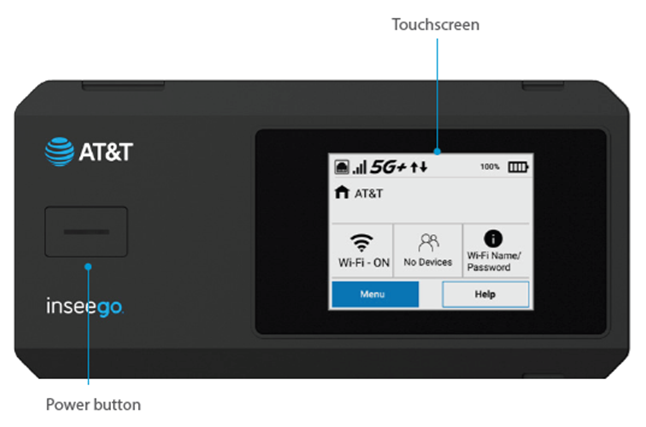
Press and hold the power button for three seconds to turn your MiFi PRO M4 on and off. Press and release the power button to wake up the display.
The touchscreen allows you to view Wi-Fi name and password, connected devices, data usage, and more. Swipe through screens and tap the arrows, buttons, and icons to access available menu options.
Side view
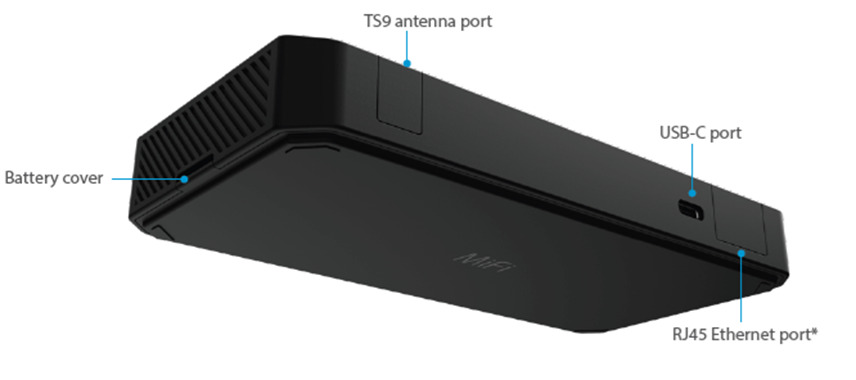
TS9 antenna ports: (one on each side) For external antennas, if necessary.
USB-C port: For charging your MiFi or for data tethering.
Ethernet port: For a direct wired connection to the internet on another device.
Battery cover: Covers the reset hole, battery, and SIM.



