
User Guide
Replacing the battery
CAUTION: Whenever you remove or insert the battery, ensure your MiFi is not connected to any device or power source. Never use tools, knives, keys, pens, or any type of object to force the door open or to remove the battery. Using any of these types of objects could result in puncturing the battery.
To remove and replace the battery:
1. Lift the tab at the edge of the battery cover and remove the cover.
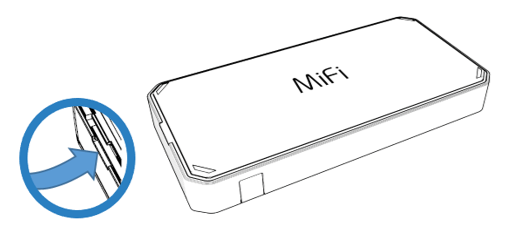
2. Remove the battery from the battery well.
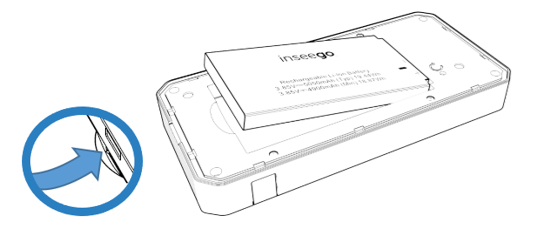
3. Align the gold contacts on the new battery with the gold contacts on the MiFi and gently slide the battery into place.
4. Replace the cover by setting it on the MiFi where the notches align, then press on the cover until it clicks into place and is flat across the entire bottom surface.



