
User Guide
Charging with the USB cable
Your MiFi PRO M4 comes with a USB charging/data cable that can be used to charge your MiFi. You can use this cable to charge directly from a variety of USB-powered ports (laptops, computers, hubs, etc.)
To charge your MiFi from a powered USB port:
1. Connect either end of the USB cable into the USB port of the MiFi.
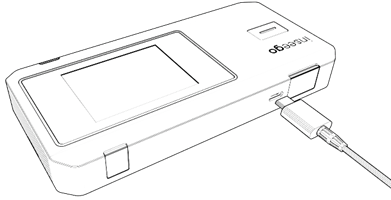
2. Connect the other end of the USB cable into another device, such as a laptop. The USB Connection Options touchscreen appears.
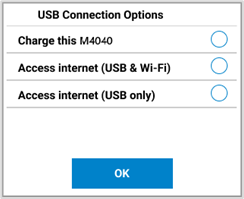
3. Select whichever connection option you desire and tap OK. The MiFi charges when connected via USB.



