
User Guide
GPS
Your MiFi incorporates a GPS receiver. The GPS receiver can determine your current location. Use this feature to enable GPS and view current location information.
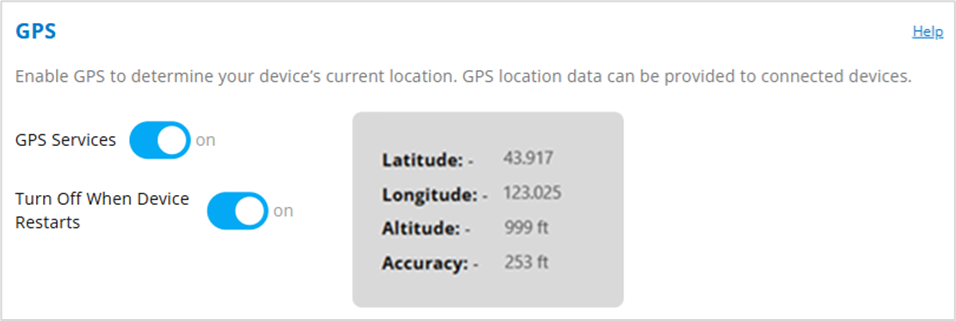
GPS Services: This setting enables or disables the GPS radio on your MiFi. When turned on, a GPS Agreement appears, click Yes, Enable GPS to proceed. The MIFI acquires GPS and makes GPS location data available.
Latitude: Latitude for the last location fix.
Longitude: Longitude for the last location fix.
Altitude: Altitude for the last location fix.
Accuracy: A measure of the accuracy of the horizontal position obtained by the GPS receiver.
Turn Off GPS When
Device Restarts: When GPS is on, the GPS receiver turns off when the MiFi turns off and does not automatically restart when the MiFi restarts - you will need to enable GPS again.



