
User Guide
Cellular Network Technology
Use this section to configure the network technology and 5G network mode for your MiFi.
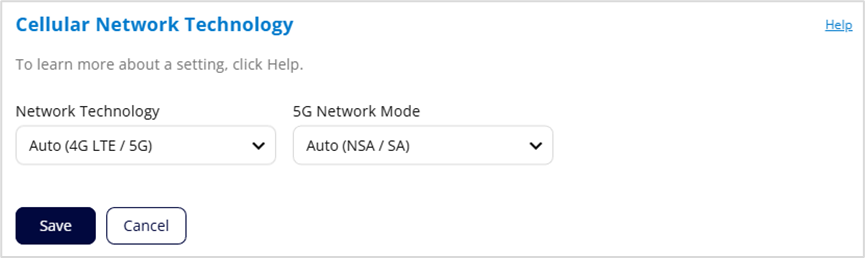
Network Technology: Your MiFi is set to Auto (4G LTE/5G) by default, which prioritizes 5G but allows 4G and other non-5G technologies to be used. If you select 4G LTE or 5G from the dropdown, your MiFi is restricted from connecting to networks not using that technology, for example, if you select 4G LTE, your MiFi will be unable to connect to 5G networks.
5G Network Mode: Your MiFi is set to Auto (NSA/SA) by default, allowing it to use both standalone 5G and non-standalone 5G, which utilizes 4G anchor bands. You can use the dropdown to select standalone (SA) or non-standalone (NSA) 5G network modes.
Click Save.



