
User Guide
APN Settings
By default, the system automatically determines the connection profile and APN for your SIM. Use this section to change how APNs are selected.
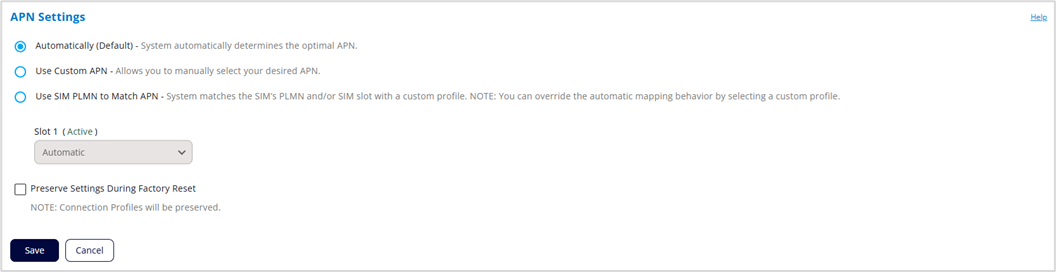
Automatically (Default) – The system automatically determines the optimal APN.
Use Custom APN – You can manually assign a connection profile for the SIM from the custom connection profiles in the APN Connection Profiles section below.
Use SIM PLMN to Match APN – The system automatically sets the profile for the SIM based on a PLMN match between the SIM and the custom connection profiles in the APN Connection Profiles section below. If there is no PLMN match, the system selects a profile without a PLMN. You can also manually select profiles for the SIM.
Preserve Settings During Factory Reset: When this box is checked, your APN settings will remain even after a factory reset of the device.
Click Save.



