
User Guide
Demilitarized Zone (DMZ)
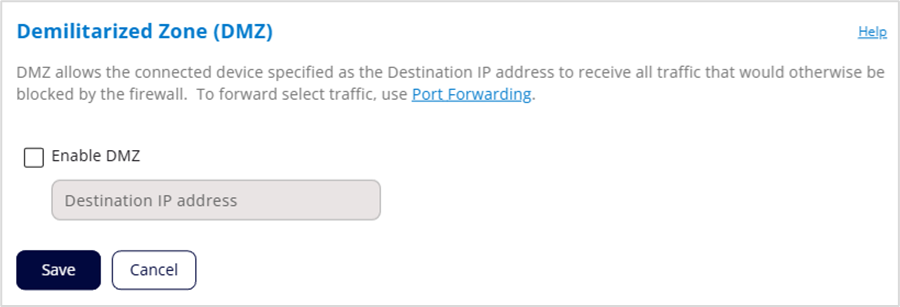
Enable DMZ: Check this box to allow DMZ and enter the IP address of the connected device you want to receive all traffic that would otherwise be blocked by the firewall (the DMZ destination). You can see the IP address of each connected device on the Network > Devices tab.
NOTES:
- If you want to forward select traffic only, use Port Forwarding instead of DMZ.
- When IP Passthrough is turned on, DMZ capabilities are set through the connected host routing system. Settings in this section are not available. Go to Network > LAN to turn IP Passthrough off.
- To allow DMZ, you need a static IP address assigned to your line of service. Contact your service provider to set up a line of service for static IP.
- Allowing DMZ may assist some troublesome network applications to function properly, but the DMZ device should have its own firewall to protect itself against malicious traffic.
Click Save.



