Quick Start Guide
Monitoring and managing your MiFi
You can use the following options to monitor and manage your MiFi.
MiFi touchscreen
View and customize most MiFi settings directly on the MiFi touchscreen.
Admin web UI
Access basic and advanced MiFi settings using the admin web UI. On a computer or browser-supported device connected to your MiFi, open any web browser and go to http://192.168.1.1, my.inseego, or my.mifi. To find the admin password, tap Help > Admin Website on the touchscreen.
Inseego Connect™
Inseego Connect is a multi-tiered device management platform that allows you to deploy, monitor, and manage Inseego IoT devices remotely. Please work with your
T-Mobile Account team to opt in for three free months of the Inseego Connect Add-on, which provides Manager access.
Inseego Mobile™ app
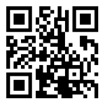
The mobile app supports basic device monitoring and management.Scan the QR code to install from AppStore or Google Play.