Unlock lightning-fast 5G internet almost anywhere

Return to blog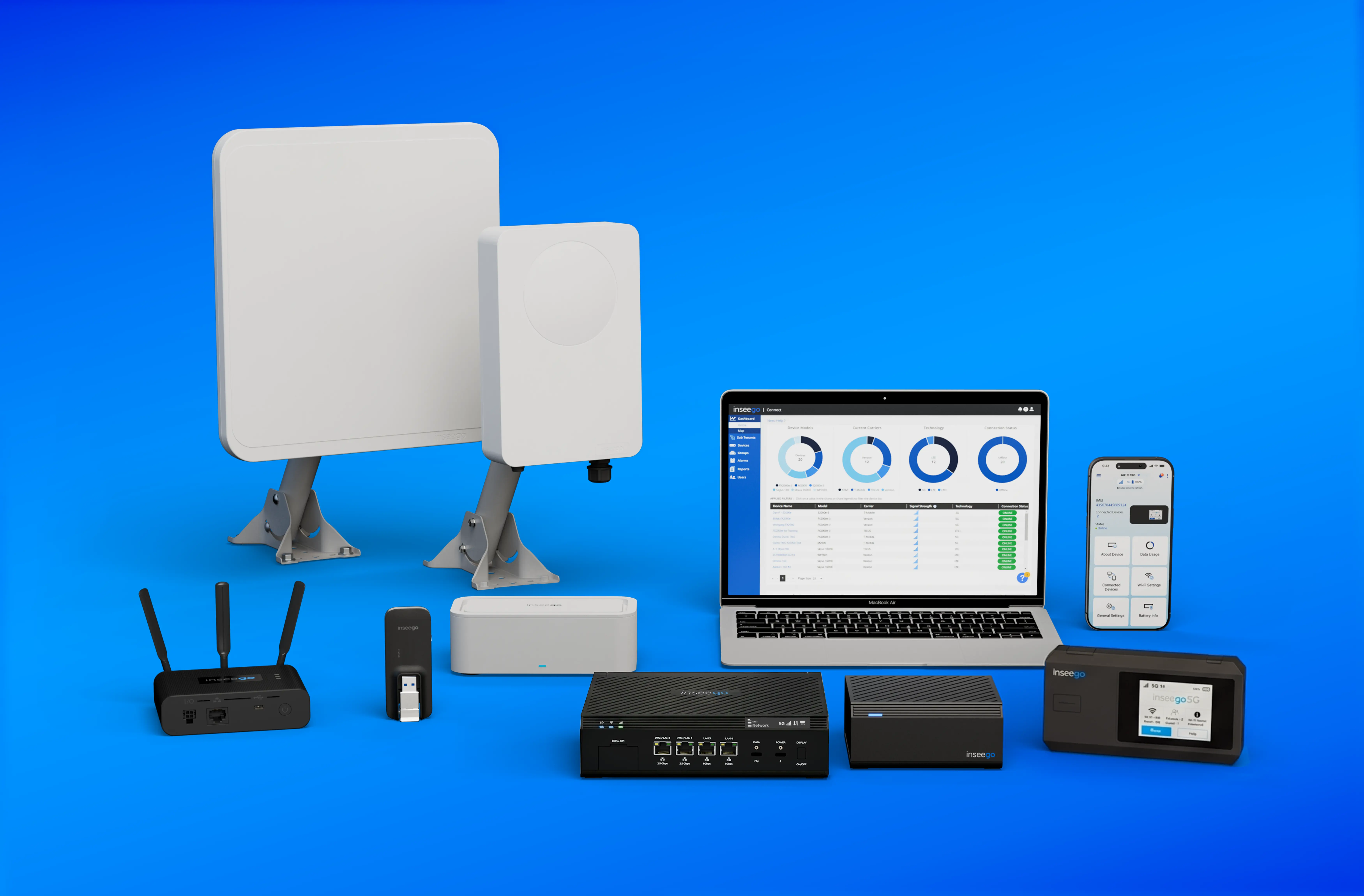
Fixed Wireless Access
How to choose the right router for business needs: The complete 2026 buyer’s guide
Updated on October 1, 2026
The pillars of performance: What to look for in a business router
In 2026, a business router is one of the most important pieces of hardware in an organization's network stack. It is no longer just a box that provides an internet connection; it is a gateway that manages advanced security, handles high-capacity network traffic, and ensures sensitive data remains protected.
Whether a small business is looking for its first professional network or an enterprise-level IT director is managing scalability, choosing the right router requires looking past the fluff. Here is a breakdown of the technologies businesses should be looking for in routers to build a high-performance network.
1. Security & compliance
A business router is one of the primary network pieces that protect an organization’s sensitive data. While consumer hardware offers basic protection, professional networks require a multi-layered defense to prevent costly breaches and maintain regulatory compliance.
- Hardware-accelerated encryption: Relying on software-based VPN clients can drain device performance. Professional solutions utilize dedicated hardware encryption engines, ensuring high internet speeds remain consistent even while running secure, encrypted tunnels for remote teams.
- Government-grade standards: Organizations in healthcare, finance, or government require hardware that meets FIPS 140-3 standards, the benchmark for cryptographic security. This ensures the firmware is resistant to tampering and uses validated encryption algorithms.
- Supply chain integrity: Security begins with the hardware source. Utilizing TAA-compliant equipment ensures it is manufactured in approved nations, mitigating the risk of "backdoor" vulnerabilities.
- The "Enterprise Bubble": For mobile and field work, a router should create a private, encrypted environment. This isolates all wireless connections from the risks of public Wi-Fi, acting as a hardened extension of the corporate firewall.
Unlock lightning-fast 5G internet almost anywhere
2. Power resilience & network failover
In a professional environment, a router that loses power or connectivity is a business that loses revenue. Commercial infrastructure requires a strategy that survives power flickers, surges, and primary line failures.
- Buffering against power outages: Many outages are momentary dips in voltage. A professional-grade router should feature an integrated battery backup that acts as a buffer, switching instantly to internal power to keep the modem active without a millisecond of downtime.
- Automated network failover: A resilient network can use a cellular connection as an automated safety net. If a wired Ethernet or fiber line is cut, the router should instantly pivot network traffic to a 5G connection. This "failover" ensures the business remains operational even during a primary ISP outage.
3. Management & scalability
As a business expands from a single storefront to multiple branches or a fleet of mobile units, the complexity of the network grows exponentially. The costs of manual oversight, time spent by IT staff traveling to sites, updating firmware, or troubleshooting individual modems can be removed with a good cloud-based management solution.
- Centralized cloud orchestration: A modern business cannot afford to manage hardware on a device-by-device basis. Organizations should prioritize platforms that offer a centralized management view. This allows administrators to push security configurations, update software, and monitor network traffic for an entire global fleet from one centralized dashboard.
- Real-time troubleshooting & visibility: A professional management platform provides deep visibility into the health of the connection. IT teams should be able to see real-time metrics like signal strength (RSRP/RSRQ), data usage patterns, and device temperature. This allows for proactive maintenance, fixing a localized throughput issue before the onsite staff even notices a slowdown.
- Automated Zero-Touch Provisioning (ZTP): To achieve true scalability, a business needs the ability to deploy new locations without sending a specialized technician. With ZTP, a router can be shipped to a remote site, plugged in by a local manager, and automatically "call home" to the cloud to pull its specific security and network settings.
- Group-based configuration: Rather than configuring 50 routers individually, a scalable system allows for "group settings." If the business decides to change the guest Wi-Fi password or update firewall rules, the change is made once in the cloud and instantly propagated to every device in that specific group, ensuring total consistency across the brand.
4. Throughput & capacity
As businesses integrate more laptops, AI-driven IoT sensors, high-definition video tools, and any other IoT devices, "network congestion" becomes a major barrier to productivity. WiFi 7 (802.11be) is no longer a luxury; it is a structural necessity to ensure that ultra-high 5G internet speeds are not bottlenecked by the local wireless environment.
- Multi-Link Operation (MLO): This is the most significant leap in Wi-Fi history. Traditional routers connect to a device on a single band (either 2.4GHz or 5GHz). MLO allows a device to connect to multiple bands simultaneously. If one band becomes crowded by a nearby network, the router intelligently shifts network traffic to another without a millisecond of lag.
- Widening the "Digital Lane" (320 MHz Channels): Wi-Fi 7 doubles the channel width compared to previous generations. By opening a 320 MHz path, the router can move massive amounts of data, essential for 8K video streaming and large cloud-based file transfers—without the "stuttering" effect common on older, narrower channels.
- 4K-QAM Modulation for efficiency: Think of this as packing a shipping container more efficiently. Wi-Fi 7 uses 4096-QAM to pack 20% more data into every signal than Wi-Fi 6. This ensures that even in a dense office building with hundreds of competing signals, the business maintains consistent throughput.
5. Plug and play
The true cost of a business router is not just the price on the box, but the cost of the "truck roll", the expensive dispatch of a specialized technician to install and configure the hardware. To scale quickly, an organization needs a solution that simplifies complex setup procedures for non-technical onsite staff.
- On-device visual diagnostics: Relying on a series of blinking LEDs or requiring a laptop to check signal strength is a barrier to speed. High-tier routers should feature an integrated visual display that provides real-time feedback on Signal Strength (RSRP/RSRQ), connection status, and active bands. This allows a local manager to confirm a high-speed link exists before the installation is finished.
- Portable "Site Survey" mode: A major deployment hurdle is finding the "sweet spot" for signal reception. Advanced routers utilize an internal battery specifically for the setup phase. This allows an installer to walk through a facility, testing different window or wall placements while watching the signal metrics on the device's screen, all without needing to find a power outlet first.
- Plug-and-play architecture: The goal for any modern rollout is "Day One" connectivity. By using hardware designed for Zero-Touch Provisioning (ZTP), the device can be drop-shipped to a remote location. Once plugged in, it automatically pulls its security policies, firewall rules, and Wi-Fi configurations from the cloud, eliminating the need for manual on-site setup.
6. Connectivity in rural environments
In rural and remote settings, the primary challenge for a business router is capturing a usable signal in areas where traditional infrastructure is sparse. A rural organization requires hardware specifically engineered to pull a stable, high-speed link from the surrounding environment.
- High-gain directional antennas: In areas with weak coverage, a standard "all-directions" antenna is often insufficient. Directional antennas focus radio energy into a narrow, concentrated beam to target the strongest available signal source. This significantly improves the Signal-to-Interference-plus-Noise Ratio (SINR), enabling a gigabit connection in areas where mobile devices may struggle.
- Power over Ethernet (PoE) for height: Achieving a "clean" signal often requires mounting hardware 20 or 30 feet in the air. Professional rural solutions use PoE, which sends both power and data through a single Ethernet cable. This allows the hardware to be placed on a mast or high rooftop where electrical outlets are physically unavailable.
- Carrier aggregation and 5G Advanced: Remote environments often rely on lower-frequency bands that travel great distances but have limited capacity. Modern rural routers use carrier aggregation to "bond" multiple bands together, maximizing the available throughput and ensuring a consistent connection even in isolated locations.
7. Quality of Service (QoS) & Network Slicing support
Not all data traveling through a business network is of equal importance. In a professional setting, a critical video conference or a point-of-sale (POS) transaction should never be slowed down because an employee is downloading a large file or a guest is streaming media. Professional routers use intelligent traffic management to ensure the most vital business functions always have the "right of way."
- Dynamic Quality of Service (QoS): This feature allows the router to identify and prioritize specific types of network traffic. By assigning "High Priority" to voice and video data, the router ensures that real-time applications remain jitter-free, even when total bandwidth usage is high. This prevents the "choppy" audio or dropped calls that often plague unmanaged networks.
- The power of Network Slicing (5G-Advanced): While QoS manages traffic inside the building, network slicing allows a business to reserve a dedicated "lane" on the cellular network itself. By working with carriers, a business can create a virtual "slice" of the 5G signal specifically for their operations. This ensures that even in a crowded area (like a stadium or a busy downtown district), the business's data remains isolated and protected from public congestion.
- Segmented guest and corporate networks: Security and performance go hand-in-hand. Professional routers allow for the creation of multiple isolated Service Set Identifiers (SSIDs). This ensures that guest Wi-Fi traffic is physically and logically separated from sensitive data, preventing unauthorized access while allowing for strict bandwidth limits on non-essential usage.
8. Hardware longevity: 5G-Advanced (3GPP Release 18)
Investing in network infrastructure is a significant capital expenditure, and the worst outcome for a business is purchasing hardware that becomes obsolete within 24 months. In 2026, the global transition to 5G-Advanced (based on 3GPP Release 18) is well underway. To protect a long-term investment, organizations must ensure their routers are engineered to evolve alongside the carrier networks.
- Future-proofing with Release 18: 5G-Advanced is the mid-life evolution of 5G, acting as the bridge to 6G. It introduces significant enhancements in spectrum efficiency and uplink speeds. Hardware that supports these standards will see improved performance as carriers upgrade their towers, ensuring the router remains a high-performance asset for 5+ years.
- AI-driven signal optimization: A core tenet of modern hardware longevity is the integration of AI within the radio interface. Rather than relying on static settings, 5G-Advanced routers use machine learning to predict signal fluctuations and manage beamforming more precisely. This means the device actually gets "smarter" and more efficient at maintaining a connection as network conditions change.
- RedCap (Reduced Capability) support: For businesses managing IoT fleets, longevity means supporting "RedCap." This allows devices to operate with lower power consumption and less complexity while still utilizing the 5G core. This is essential for long-term deployments of sensors, cameras, and industrial monitors that need to remain in the field for a decade.
Final thoughts for choosing the correct business router
Building a modern business network is no longer about finding the cheapest "box" that provides connectivity. The right choice is a router that acts as a proactive partner in business operations: one that gives businesses full visibility through cloud orchestration, survives power flickers with integrated battery backups, and future-proofs your investment with 5G-Advanced and Wi-Fi 7.
At Inseego, we design our entire portfolio, from the MiFi PRO M4 mobile router and FX4200 cellular router to our FW2000 or FW3000 outdoor CPEs, with these exact pillars in mind. When paired with Inseego Connect, our cloud orchestration platform, businesses gain full visibility and control over their entire fleet, ensuring that whether they are operating in a dense urban center or a remote rural facility, their connectivity is seamless, secure, and "always-on."