Unlock lightning-fast 5G internet almost anywhere

Return to blog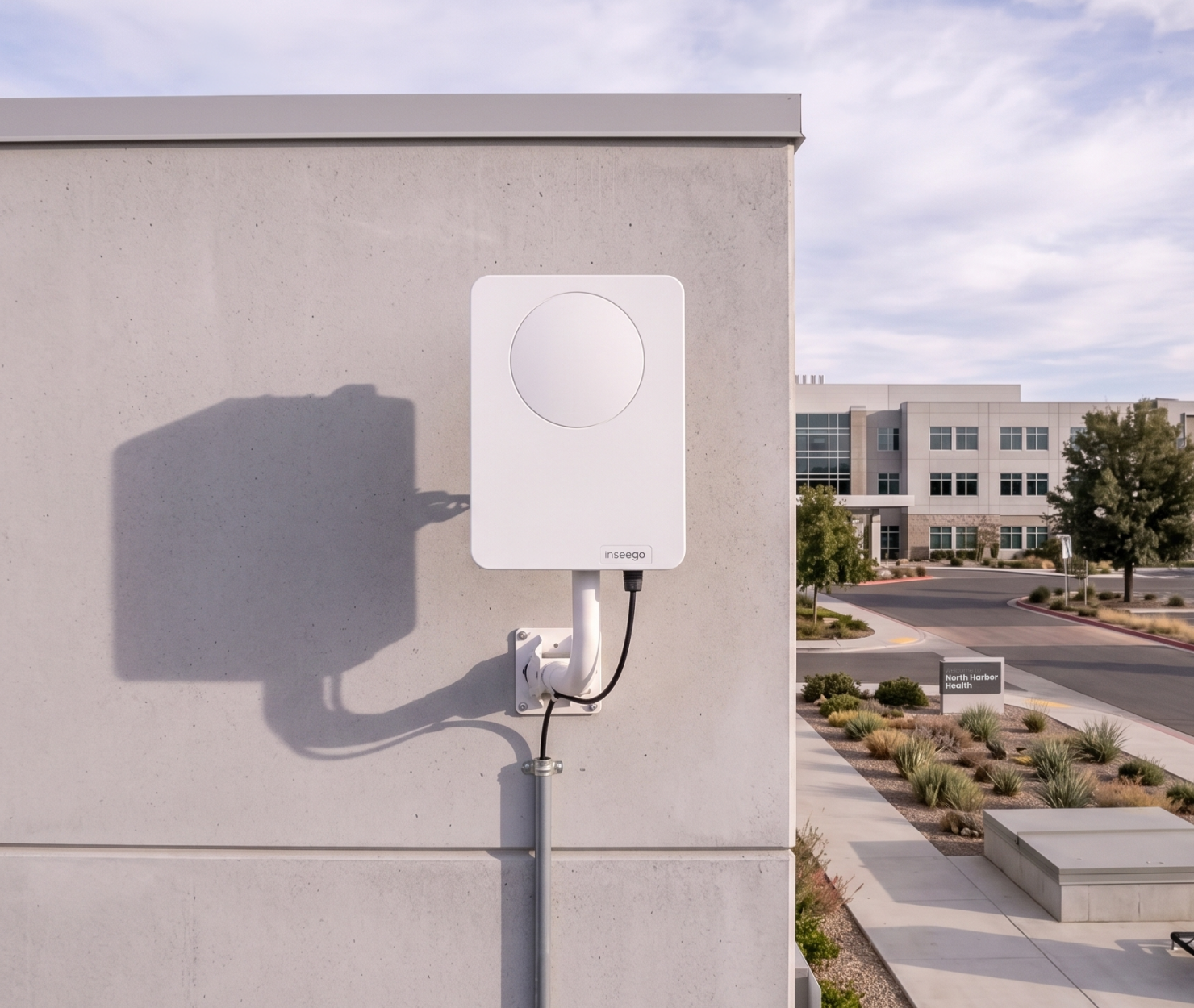
5G
How to fix 5G signal loss inside buildings
Updated on November 16, 2026
Modern commercial buildings are designed to keep heat in and withstand harsh weather. Because of this, they often block cell signals. Whether a business is setting up a 5G connection in an office, a retail store, a corporate branch, or a warehouse, placing a cellular gateway or router indoors often results in a weak signal before data reaches the local network.
Solving poor indoor coverage does not require giving up on fixed wireless access. Instead, the solution is to move the radio receiver outside the building and send the data inside using an Ethernet cable.
Why building materials block 5G coverage
High-frequency radio waves lose strength as they pass through dense or metal materials. While older cellular signals could easily pass through drywall and glass, modern 5G frequency bands use shorter waves that bounce off common building materials.
- Low-E glass: These energy-efficient commercial windows have microscopic metal layers that act like mirrors for radio waves. They block almost all incoming signals, meaning an indoor router near a window will still struggle with slow speeds.
- Concrete and steel: Steel frames and thick concrete walls absorb and scatter mid-band and high-band signals, turning interior rooms and basements into dead zones with no 5G coverage.
- Foil insulation: Aluminum vapor barriers create a metal shield around the building, forcing enterprise devices to drop back to slower 4G networks and deal with heavy network congestion.
Why extending antennas with coaxial cable falls short
When IT teams encounter a weak signal inside, they sometimes try to leave the router indoors and run long coaxial cables to an antenna on the roof.
At higher frequency bands, coaxial cable loss works against you. Every foot of cable reduces the signal strength before it ever reaches the modem. Long cable runs are expensive, hard to route through walls, and wipe out the speed benefits of 5G.
Unlock lightning-fast 5G internet almost anywhere
The solution: Outdoor 5G receivers with PoE
Outdoor 5G receivers solve this by placing the antenna and the modem together inside a weatherproof box mounted outside the building.
The outdoor unit catches the 5G connection, turns it into digital data, and sends it inside over a single Ethernet cable. This Power-over-Ethernet line provides both power to the device and fast data speeds straight to the indoor enterprise router or network switch.
Matching the right 5G receiver to the building
Because every commercial facility is different, fixing a bad signal starts with choosing the right type of receiver for the physical space and distance from the cell tower.
Storefronts, offices, and commercial spaces: Window and balcony receivers
In leased spaces where drilling holes or accessing the roof is prohibited, self-install units like the FastMile indoor/outdoor receivers work well. Weighing just over one pound, these weather-resistant units include a simple window bracket, pole-mount option, and a flat Ethernet cable that fits cleanly through a closed window frame. Inside, a wide-angle 10 dBi antenna array captures strong mid-band signals across a 180-degree field of view, letting businesses set up fast internet in minutes without precise tower aiming or an on-site technician.
Dense urban areas: 360-degree beam-steering receivers
In city environments where tall buildings block the direct view of the cell tower, high-capacity hardware like the FastMile mmWave receivers overcome these obstacles using automated electronic steering. Powered by a high-gain phased-array antenna, the device continuously scans a full 360-degree field of view to lock onto reflected signal paths bouncing off nearby structures. This allows the receiver to maintain reliable, multi-gigabit 5G coverage and avoid local network congestion without manual adjustments or line-of-sight alignment.
Warehouses and industrial sites: High-gain directional outdoor receivers
When thick walls, metal siding, or a long tower distance cause problems, rugged outdoor hardware like the Inseego Wavemaker FW3000 or FastMile outdoor high-gain receivers are necessary. Built with weatherproof enclosures and internal heating elements for extreme temperatures, these mast-mounted units use focused directional antennas (up to 18 dBi) to pull in usable signals from towers miles away. They also deliver multi-gigabit speeds over a single Power-over-Ethernet cable and support dual-SIM carrier backup for continuous business uptime.
How to deploy an outdoor receiver for maximum throughput
- Survey the exterior first: Before drilling or mounting hardware, IT teams should test signal strength across multiple exterior walls, roof edges, or window locations. Using the Inseego Mobile app or the built-in LED signal indicators on the receiver helps pinpoint the exact spot with the cleanest connection to the nearest cell tower. Even moving a receiver a few feet away from metal siding, HVAC units, or nearby trees can significantly improve upload and download speeds.
- Configure IP passthrough: Once the unit is mounted and connected via Ethernet, set the receiver to IP passthrough (bridge) mode. In a standard setup, both the receiver and the office firewall try to manage network traffic, which slows down connections and breaks VPNs. Bridge mode turns the receiver into a pure data modem, passing the public IP address directly to the existing business firewall or SD-WAN router so security rules and network traffic run smoothly.
- Monitor signal health remotely: After deployment, administrators can connect the hardware to the Inseego Connect cloud dashboard to track live radio metrics, including signal power (RSRP), signal quality (RSRQ), and signal-to-noise ratio (SINR). Monitoring these numbers remotely lets IT teams spot seasonal tree growth, nearby construction, or tower changes early and adjust settings or reboot devices without sending a technician on-site.
Eliminate indoor dead zones without trenching fiber
Businesses do not need to settle for slow indoor speeds or wait months for fiber internet installation. Installing an outdoor 5G receiver bypasses building blocks at the source, giving commercial facilities a fast and reliable 5G connection from day one.
Explore the full lineup of self-install window units, mmWave receivers, and outdoor hardware on Inseego's 5G receivers page to find the right fit for the deployment.