Unlock lightning-fast 5G internet almost anywhere

Return to blog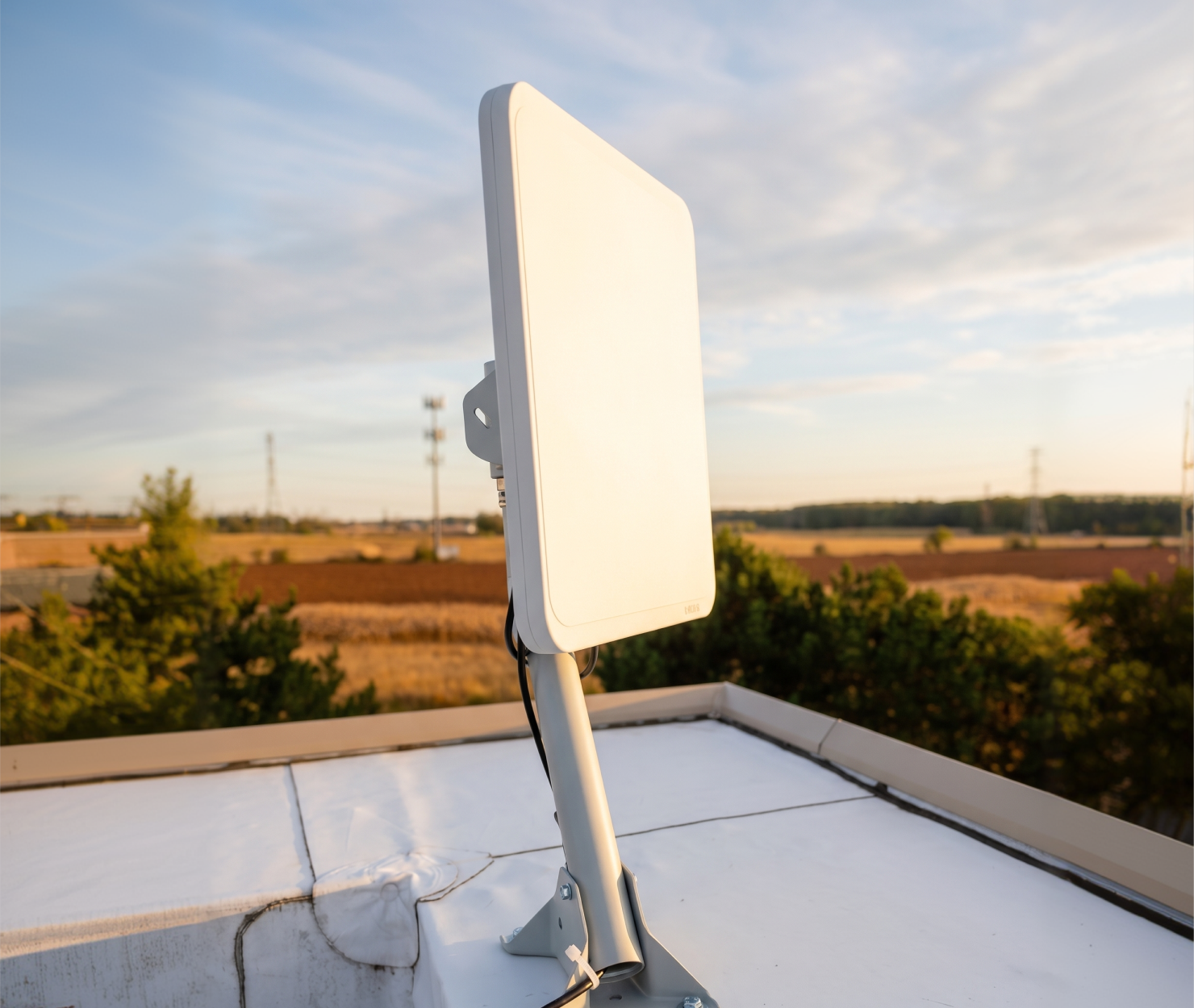
Fixed Wireless Access
How to choose the right outdoor cellular router for any use case
Updated on September 17, 2026
Whether deploying a primary internet connection for a rural site, secondary WAN redundancy for branch failover, or a temporary gateway for a construction project, cellular broadband is a proven solution. However, when businesses attempt to deploy cellular routers indoors, severe signal degradation frequently occurs due to low-E glass, concrete walls, and internal interference, reducing available bandwidth significantly for the use case.
Deploying an outdoor cellular router, CPE, or receiver on a building exterior or rooftop eliminates this issue. However, with numerous hardware options available, selecting the ideal outdoor cellular router requires careful evaluation of enterprise operational requirements. Below we’ll go over critical technical criteria network engineers and IT leadership must assess.
1. Match the form factor to the connectivity role
Before evaluating hardware specifications, network architects must define how the outdoor cellular router integrates into the overall Wide Area Network (WAN) topology. The intended connectivity role dictates throughput demands, failover automation, and routing architecture:
Primary connectivity
Role: Serves as the primary internet gateway, replacing or supplementing costly, unavailable, or slow wired infrastructure (DSL, cable, fiber).
Best for: Branch offices, rural facilities, pop-up retail, and temporary job sites.
Key hardware features to look for:
- Ultra-high gain directional antennas (14–18 dBi): High antenna gain overcomes physical terrain obstacles and distance from base stations to lock onto clean, high-speed signals.
- Multi-gigabit Ethernet ports & 4x4 MIMO: Ensures local physical handoffs (2.5GbE or 5GbE) do not bottleneck multi-carrier 5G aggregated throughput under heavy daily loads.
- 3GPP Release 16/17 support: Delivers carrier aggregation across multiple bands and low-latency performance required for primary enterprise traffic.
Unlock lightning-fast 5G internet almost anywhere
Failover & business continuity
Role: Operates as an automated backup connection integrated directly into SD-WAN gateways or enterprise firewalls to prevent downtime during fixed-line outages.
Best for: Mission-critical locations vulnerable to fiber cuts, local provider outages, or severe weather.
Key hardware features to look for:
- Dual-SIM auto-failover & multi-carrier agnosticism: Allows the receiver to automatically switch between two competing cellular carriers if the active tower drops or degrades.
- Native Layer 2 IP passthrough (bridge mode): Passes the public cellular IP directly to your internal firewall or SD-WAN appliance, avoiding Double-NAT issues and maintaining VPN tunnel stability.
- Health check & ping-target keep-alives: Onboard firmware features that actively probe external DNS/IP targets to trigger instantaneous sub-second WAN switches upon link failure.
Out-of-band management (OOBM)
Role: Delivers a physically isolated, secure cellular backchannel straight into core network infrastructure (switches, firewalls, console servers) when the primary in-band network suffers a total collapse.
Best for: Remote, unmanned, or edge facilities requiring guaranteed administrative recovery access.
Key hardware features to look for:
- Serial console ports (RS-232 / RJ45 console): Enables direct physical connection to local console servers for remote command-line access during network lockouts.
- Low-power draw & battery backup compatibility: Ensures the management tunnel remains active even during site-wide main power grid failures.
- Isolated security protocols & VPN enforcements: Supports IPSec/OpenVPN hardware encryption and isolated APNs to keep administrative traffic completely segregated from standard data paths.
Pop-up & rapid deployment broadband
Role: Supplies immediate, high-speed internet to temporary sites without waiting weeks or months for fixed-line utility installation.
Best for: Construction trailers, outdoor festivals, pop-up kiosks, disaster response units, and temporary field offices.
Key hardware features to look for:
- Single-cable Power over Ethernet (PoE / 802.3at): Eliminates the need for dedicated outdoor electrical outlets; a single Ethernet cable delivers both power and high-speed data.
- IP67-rated weatherproof enclosure: Fully sealed housing designed to withstand extreme temperatures, heavy rain, dust, and UV exposure without extra protective cabinets.
- Toolless mounting & mobile alignment tools: Integrated pole, wall, and balcony brackets paired with Bluetooth app-guided LED signal indicators for rapid installation by non-technical staff.
Network edge processing & IoT aggregation
Role: Acts as an outdoor edge computer that aggregates telemetry from local sensors, IP surveillance cameras, and industrial equipment, processing data locally before backhauling condensed insights over cellular networks.
Best for: Smart agriculture, water treatment plants, traffic control systems, and utility substations.
Key hardware features to look for:
- Industrial I/O & legacy serial interface support: Multiple physical interfaces (RS-232/RS-485, digital input/output, multiple LAN ports) to connect directly to industrial equipment.
- Industrial protocol conversion: Native firmware support for MQTT, Modbus, and OPC UA to translate raw industrial telemetry into cloud-ready JSON payloads.
- Onboard storage & local edge computing: MicroSD or internal flash storage paired with containerization support (like Docker) to process data locally and buffer metrics during network dropouts.
Cellular data offloading & traffic splitting
Role: Diverts non-critical, high-bandwidth traffic (guest Wi-Fi, digital signage, cloud backups) away from primary, costly wired MPLS lines onto local 5G connections.
Best for: Corporate campuses, outdoor venues, and retail hubs seeking to optimize WAN costs and reduce congestion on core business lines.
Key hardware features to look for:
- VLAN tagging & multi-SSID steering: Supports standard IEEE 802.1Q VLAN mapping to cleanly isolate guest traffic from internal corporate networks at the physical handoff.
- SD-WAN cloud orchestration integration: Allows network administrators to set dynamic rules that automatically route non-essential traffic over cellular based on real-time bandwidth usage.
- High concurrent session capacity: Upgraded processor and RAM specs capable of managing hundreds of simultaneous DHCP clients without dropping connection tables.
Direct point-to-point / multi-site interconnect
Role: Uses high-gain cellular or private wireless backhaul to link separate nearby structures directly into the main enterprise local area network (LAN) without digging underground conduit.
Best for: Connecting adjacent campus buildings, detached security guard shacks, or outdoor parking structures.
Key hardware features to look for:
- Narrow-beam directional & mmWave antenna arrays: Ultra-focused beam-forming arrays (such as mmWave 28GHz or high-gain Sub-6 directional antennas) that establish tight line-of-sight wireless bridges.
- Low latency & high frame-rate passthrough: Optimized firmware that processes wireless frames rapidly to simulate the feel and throughput of a local physical Ethernet connection.
- Precision alignment mounts: Heavy-duty mounting hardware with fine-tuning elevation and azimuth adjustments to lock in millimeter-accurate aiming over long physical distances.
2. Evaluate ingress protection & thermal tolerance
Once the connectivity role and key hardware requirements are established, the physical unit must be evaluated for environmental survival. Outdoor cellular hardware operates under continuous environmental stress, requiring industrial enterprise-grade specifications:
- Ingress protection (IP Rating): Standard commercial grade provides IP65 splash and dust resistance. Industrial enterprise grade provides an IP67 rating, ensuring the unit is fully waterproof, dust-tight, and protected against heavy driving rain or temporary submersion.
- Operating temperature range: Commercial units operate between -20°C and 55°C (-4°F to 131°F). Industrial enterprise-grade routers operate from -40°C to 65°C+ (-40°F to 149°F+) to withstand severe solar loading and extreme winter conditions.
- Housing material: Standard commercial hardware relies on ABS plastic, which degrades under UV exposure. Industrial enterprise hardware utilizes UV-stabilized polycarbonate or powder-coated aluminum to prevent structural deterioration.
3. Match antenna architecture to the site topology
Antenna layout must align with the target location's proximity to local cell towers:
- High-gain directional antennas: Essential for fixed wireless broadband. By focusing RF energy toward a specific cellular base station, high-gain directional arrays maximize signal quality (RSRP/SINR), deliver higher throughput over multi-mile distances, and maintain stability at cell edges.
- Omnidirectional antennas: Best suited for mobile deployments, urban dense environments, or temporary sites surrounded by multiple cell towers where signal direction varies or precise alignment is unfeasible.
4. Verify Power over Ethernet (PoE) & backhaul capacity
Deploying outdoor hardware should not require installing dedicated electrical outlets on roofs, poles, or exterior walls.
- Power over Ethernet (PoE / PoE+): Ensure the router supports standard 802.3at/bt PoE. A single outdoor-rated shielded Cat6 cable supplies power to the CPE and transfers data back into indoor switches or firewalls.
- Multi-gigabit backhaul: For multi-carrier 5G deployments capable of speeds exceeding 1 Gbps, ensure the physical Ethernet handoff port supports 2.5 GbE or 5 GbE to prevent physical copper bottlenecks.
5. Ensure Centralized Cloud Management & Enterprise Security
Deploying outdoor routers across multiple distributed sites requires central visibility and control:
- Real-time RF metrics: Remote dashboards must monitor RSRP, RSRQ, SINR, and active frequency bands in real time without dispatching field technicians.
- Zero-Touch Provisioning: Field installers mount the unit while IT administrators remotely push configurations, APNs, and firmware updates centrally.
- Enterprise security standards: Software features must include native Layer 2 IP passthrough, multi-VLAN segmentation, OpenVPN/IPSec hardware encryption, and custom firewall rule support.
Inseego outdoor 5G FWA solutions
When selecting a high-performance outdoor cellular router for any connectivity role, Inseego's Outdoor Fixed Wireless Access (FWA) receiver, CPE, and adapter portfolio provides the enterprise-grade engineering required for critical business operations.
Designed to overcome building signal attenuation and endure severe weather conditions, Inseego outdoor 5G CPEs (such as the FW2000 series) deliver unmatched reliability across primary, failover, and rapid-deployment architectures.
Key advantages of Inseego outdoor FWA solutions:
- High-gain directional antenna arrays: Proprietary directional antenna technology locks onto 5G Sub-6GHz and mmWave bands, delivering low-latency, gigabit-class broadband even in fringe coverage areas.
- Rugged IP67 enclosures: Engineered to perform reliably under extreme temperatures (-40°C to 65°C+), heavy driving rain, high winds, and intense UV environments.
- Seamless IP passthrough & PoE: Simplifies installation by delivering power and data over a single PoE Ethernet connection while passing public IP addresses directly to existing firewalls or SD-WAN appliances.
- Inseego Connect™ cloud management: Empowers enterprise network operations teams to remotely provision, monitor RF metrics, configure automated alerts, and execute fleet-wide firmware updates from a single pane of glass.
By pairing high-gain cellular hardware with robust weatherproofing and centralized cloud control, Inseego outdoor FWA devices empower enterprises to establish fast, reliable, and secure broadband across any operational environment.