Unlock lightning-fast 5G internet almost anywhere

Return to blog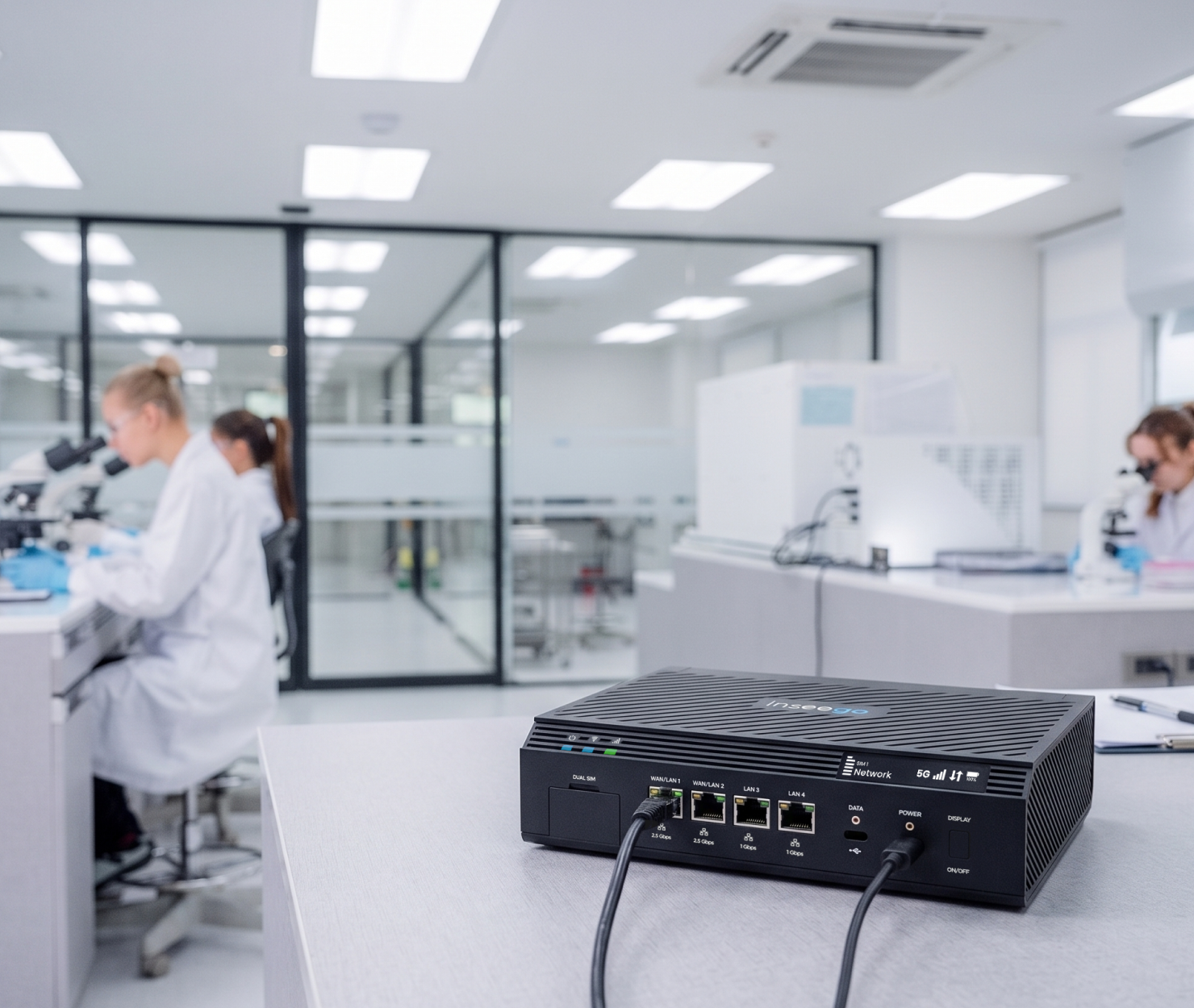
Cellular Routers
A buyer’s guide and checklist for dual-WAN routers
Updated on October 1, 2026
Remote operations, cloud-hosted CRMs, and continuous online transactions are business-critical, a single internet outage can bring operations to a grinding halt. Dual-WAN routers eliminate this vulnerability by connecting your network to two distinct Internet Service Providers (ISPs) simultaneously.
However, not all dual-WAN solutions are created equal. From handling gigabit throughput to preventing dropped VoIP calls during an outage, here is what to look for to ensure your chosen hardware meets your operational needs.
1. Failover speed vs. load balancing needs
1. Failover Speed vs. Load Balancing Needs
Before shopping, determine how your network will use its secondary connection:
- Active-Passive failover: For reliable backup, look for a router with a fast health-check engine that detects lag or dropped data in seconds. This ensures instant, automatic failover for critical operations without wasting expensive data on a metered backup line.
- Active-Active load balancing: If you plan to use both internet lines at once, make sure the router supports "sticky sessions." Without this feature, secure platforms like banking sites, CRMs, and corporate VPNs will repeatedly kick users out as their IP addresses switch back and forth mid-session.
- Custom traffic rules: If your primary and secondary lines have vastly different speeds (like 1 Gbps fiber paired with 100 Mbps cable), ensure the router lets you set custom traffic ratios. This keeps heavy downloads on the faster line and prevents the slower backup from getting overwhelmed.
- Connection bonding vs. load balancing: If you need to combine two internet lines into a single, seamless connection rather than just splitting traffic between them, verify that the router natively supports true packet-level bonding or cloud-endpoint integration.
Unlock lightning-fast 5G internet almost anywhere
2. Real-world failover engine: DNS probing & flapping prevention
A router shouldn't just wait for a cable to be physically unplugged to trigger a failover; it must actively monitor line health:
- Multi-target probing: To guard against "silent outages"—where the physical cable remains connected but upstream internet routing fails—look for a router that can simultaneously ping or issue DNS queries to multiple external targets (such as Cloudflare or Google DNS).
- Failback hold-down timers: If your primary ISP experiences flickering recovery periods, make sure the router allows you to configure failback delay timers. This prevents "flapping" (rapidly bouncing back and forth between WAN links) when an ISP connection flickers back online, keeping core business applications stable until the primary line proves reliable.
- Latency and jitter triggers: If your office relies on real-time voice or video calls, look for failover rules triggered by high latency or dropped data, rather than waiting for a complete connection failure.
- Smart traffic routing: To get the most out of your secondary connection, find routers that can use rules that automatically move sensitive voice and video calls to the backup line while leaving non-critical background downloads on the primary connection.
3. Interface types, port speeds, & multi-gig throughput
Ensure your router’s internal processing power and physical ports match your aggregate bandwidth:
- Multi-gigabit ports: When subscribing to high-speed fiber packages (such as 2.5 Gbps or 10 Gbps), prioritize a router with matching 2.5G, 10G SFP+, or Multi-Gigabit WAN ports. Standard 1 GbE ports bottleneck multi-gigabit ISP connections and waste your bandwidth investment.
- Connection diversity: To maintain physical path diversity against street-level line cuts, select a router that natively accepts your preferred secondary medium—whether that means an integrated cellular modem, dedicated SFP slots, or secondary Ethernet WAN ports.
- Hardware offloading & routing engine throughput: High-volume employee traffic environments require dedicated hardware packet acceleration (offloading) in the router's architecture. Without hardware offloading, enabling essential security features like stateful firewalls, NAT, and QoS will bottleneck overall throughput.
- Port reconfiguration flexibility: If you anticipate business growth, verify that the router allows software re-mapping of LAN ports to act as additional WAN ports (WAN3, WAN4). This guarantees scaling to multi-carrier topologies without purchasing new core hardware.
4. Enterprise cellular integration vs. consumer USB dongles
Sustained business uptime requires enterprise-grade hardware to avoid throttling, crashes, and poor signal reception. Look for dual-wan routers that offer the following:
- Commercial-grade thermal dissipation: For 24/7 cellular backup operations, seek out routers built with heavy-duty metal housing and passive or active cooling systems to handle sustained high-throughput workloads without thermal throttling.
- 5G NR Sub-6GHz and C-Band support: Integrated modems that support modern mid-band 5G spectrum and carrier aggregation ensure your wireless backup matches wired internet speeds.
- External high-gain antenna ports: Buildings with heavy signal attenuation require dedicated SMA or TS-9 external antenna connectors on the router so cabling can run to roof- or window-mounted antennas.
- Dual-SIM auto-switching: Achieving multi-carrier redundancy relies on dual-SIM architecture that automatically monitors mobile tower health and swaps from Carrier A to Carrier B during regional outages.
5. Traffic prioritization, VLAN routing, & data cap rules
A capable dual-WAN router manages local traffic intelligently based on connection status:
- VLAN-to-WAN mapping: If your network topology demands traffic segregation, ensure the router supports binding specific VLANs to specific WAN interfaces, allowing core corporate operations to stay on the primary line while restricting guest Wi-Fi to secondary links.
- Metering & data safeguards: When managing strict backup data limits, inspect the router for automated metered connection policies that instantly restrict high-bandwidth activities—such as video streaming, OS updates, and background cloud backups—the moment cellular failover activates.
- Application-Aware Quality of Service (QoS): Relying on critical cloud tools demands Deep Packet Inspection (DPI) to identify and prioritize essential business apps (like Zoom, Teams, or Salesforce) over routine web traffic regardless of which WAN interface is active.
- Bandwidth hard-caps and alerts: Keeping operational expenses predictable requires setting hard data caps and automated alerts that suspend backup cellular routing once a monthly limit (e.g., 50 GB) is reached.
6. Management ecosystems & total cost of ownership (TCO)
Finally, evaluate the long-term operational costs of your hardware:
- Management interface: Teams overseeing multiple branch locations must decide between localized web interfaces or centralized cloud orchestration, such as Inseego Connect, for centralized, remote network monitoring and fleet management.
- Licensing models: When budgeting for long-term ownership, carefully audit mandatory ongoing subscription fees for SD-WAN capabilities, cloud management, or security updates.
- Zero-Touch Provisioning (ZTP): For multi-site rollouts lacking on-site IT staff, check for ZTP support so local staff can plug in devices while configurations push down automatically from the cloud.
- Out-of-Band Management (OOBM): Emergency IT access during complete network failures depends on management systems that allow admins to remotely access the router’s console via the secondary cellular connection even if the main wireline ISP goes dark.
Dual-WAN Inseego Wavemaker FX4200 Cellular Router spotlight
Traditional dual-WAN strategies typically combine two wireline connections, such as primary fiber and secondary cable. However, these physical lines often run through identical underground conduits, share utility poles, or terminate at the same local exchange. A single fiber cut or construction incident can instantly disable both circuits, severing your entire network.
Integrating enterprise 5G Fixed Wireless Access (FWA) as a secondary or tertiary WAN interface eliminates these shared infrastructure risks by delivering complete, air-gapped path diversity. Our specialized portfolio of enterprise cellular routers, specifically the FX4200, are purpose-built to sit at the core of high-availability hybrid WAN architectures:
- Automated dual-WAN & multi-carrier resiliency: The FX4200 combine high-speed cable connections with built-in 5G cellular. The device constantly tests your main wired internet for slowdowns, dropped data, or total outages. If it detects a problem, it instantly switches your connection to 5G. Dual-SIM card slots take this a step further—if the primary mobile network loses signal, the device automatically swaps to a secondary mobile carrier to keep you connected.
- Integrated power safeguards: To maintain connectivity during power disruptions, the FX4200 includes an onboard battery backup and supports a wide-input of industrial DC power setups. This ensures critical routing functions remain active during localized blackouts without requiring immediate auxiliary UPS intervention.
- Flexible architecture & IP passthrough: Our cellular routers easily fit into your current network. You can use them as your main office router to manage traffic and security, or set them up in "bridge" mode. In bridge mode, the router acts strictly as a wireless modem, passing the cellular internet signal directly to your existing firewall (like Cisco, Fortinet, or Palo Alto) without creating software conflicts or setup headaches.
- Zero-touch fleet orchestration: Managed through the cloud-based network management Inseego Connect platform, IT teams gain centralized visibility and operational control across distributed branch networks. Features include automated zero-touch provisioning, real-time signal quality mapping, over-the-air firmware updates, and immediate threshold alerts.
- Enterprise-grade security & compliance: Designed and assembled to meet stringent corporate standards, our FX4200 cellular router incorporates robust security frameworks including FIPS 140-3 cryptographic compliance, enterprise IPsec VPN tunneling, role-based access control, and 5G network slicing capabilities essential for healthcare, financial, and public safety applications.
Keeping your business connected when the internet goes down
A backup internet connection is only as good as the hardware running it. Relying on two wired connections often leaves you vulnerable to a single snapped cable, while using consumer-grade mobile hotspots can lead to slow speeds, overheating, and dropped connections when you need them most.
To keep your business running smoothly without interruption, you need a setup that automatically detects internet issues, switches over instantly, and uses equipment built for heavy business use. Investing in enterprise-grade 5G hardware, like the Inseego Wavemaker FX4200 cellular router, gives you true path diversity, automated backup switching, and easy cloud-based network management. By choosing the right dual-WAN solution, you protect your revenue, keep essential tools online, and ensure your team never loses access to the internet.